Artificial Intelligence is rapidly changing how organizations operate. Employees are building AI-powered solutions in Microsoft Copilot Studio, developers are creating custom AI applications in Azure AI Foundry, and business units are experimenting with third-party AI platforms at an unprecedented pace.
While AI innovation is accelerating, security teams face a new challenge: How do you govern and protect AI agents when they can be developed almost anywhere?
This is where Microsoft Agent 365 comes into play.
Why Now?
Organizations have spent years developing governance models for identities, devices, applications, and data. AI Agents introduce a new layer that can act on behalf of users, access sensitive information, and automate business processes. Without proper oversight, these agents can quickly become the next generation of Shadow IT.
What is Agent 365?
Agent 365 is Microsoft’s security and governance framework designed to help organizations discover, protect, and manage AI agents across the enterprise.
Whether an AI agent is built by a professional developer, a citizen developer, or generated through low-code tools, Agent 365 provides visibility into where agents exist, what data they access, and how they interact with users and systems.
As organizations embrace AI, security leaders need to ensure that innovation does not come at the expense of security, compliance, or data protection.
The Growing Risk of Unmanaged AI Agents
Many organizations are already experiencing a form of “Shadow AI.”
Business users that aren’t technical and not security focused can create AI agents that:
- Access sensitive corporate data
- Connect to line-of-business applications
- Automate business processes
- Generate content on behalf of the organization
- Interact with customers and employees
Without proper governance, these agents can introduce significant risks:
- Unauthorized data exposure
- Excessive permissions
- Regulatory compliance violations
- Inaccurate or unsafe outputs
- Lack of accountability and auditability
The challenge is that security teams often do not know these agents exist until after they have already been deployed. The other challenge is that these agents are deployed by non-technical users who are focused on making things work and will give permissions to the agents without thinking about the technical or compliance concerns.
Key Areas to Review and Configure When Getting Started with Agent 365
Organizations should focus on several foundational areas when implementing Agent 365.
1. Discover Existing AI Agents
Use the Agent Registry within the M365 Admin Center to understand your currently deployed agents from the Microsoft Platforms (Copilot Studio, Agent Builder, and Foundry), and what users (if any) are using them.
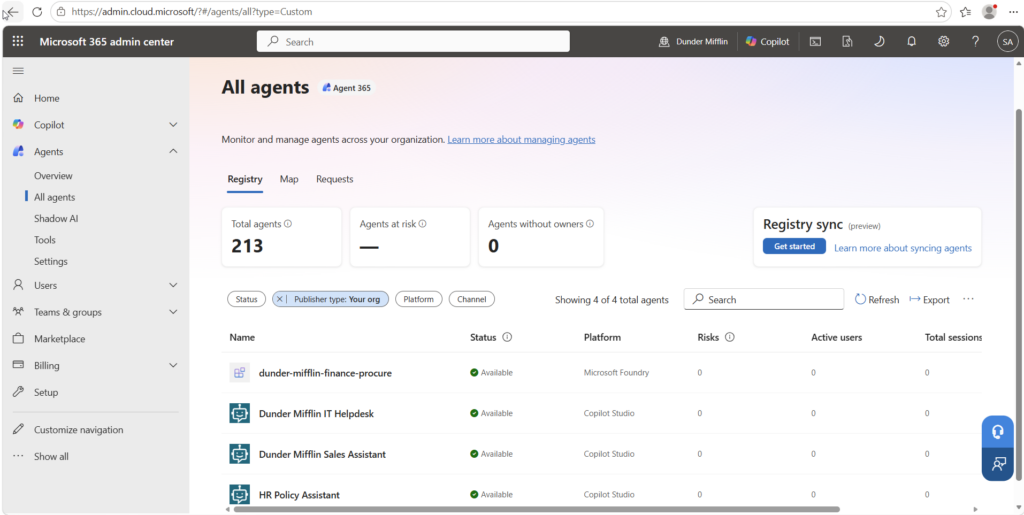
Now that we have the Microsoft AI Agents discovered and understood, we need to account for AI Agents built on other platforms. At the time of the article being published, there are four platforms that allow for Registry Sync into Agent 365. Those are: Amazon Bedrock, Google Vertex AI, Salesforce Agentforce, and Databricks Genie. To connect these platforms to Agent 365, do the following:
In the navigation pane, select Agents > All Agents to see the agent registry.
In the Registry sync web part, select Manage. The Registry sync page is displayed.
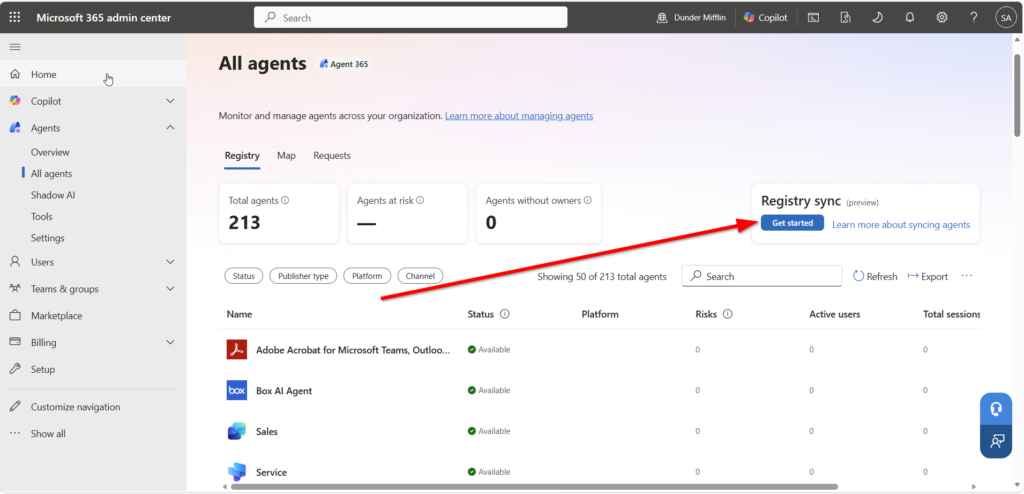
Select + Connect a platform.
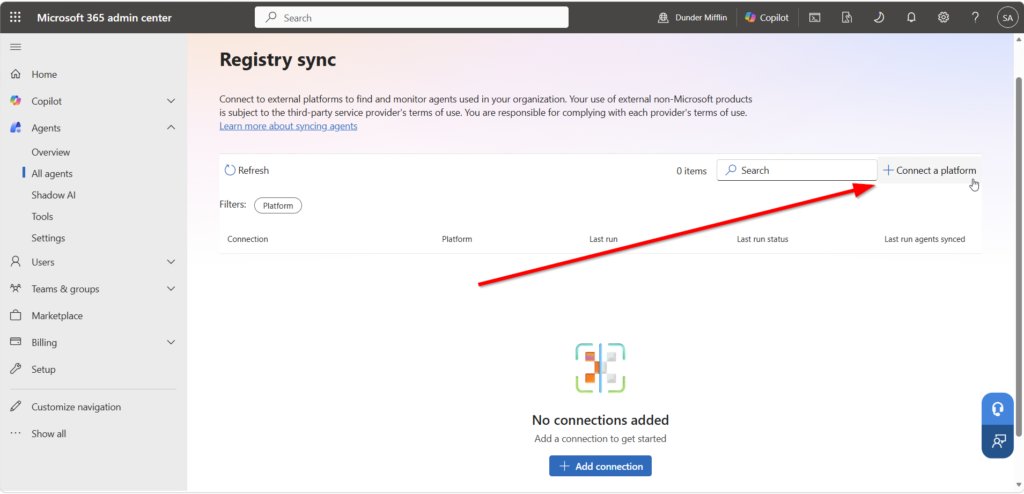
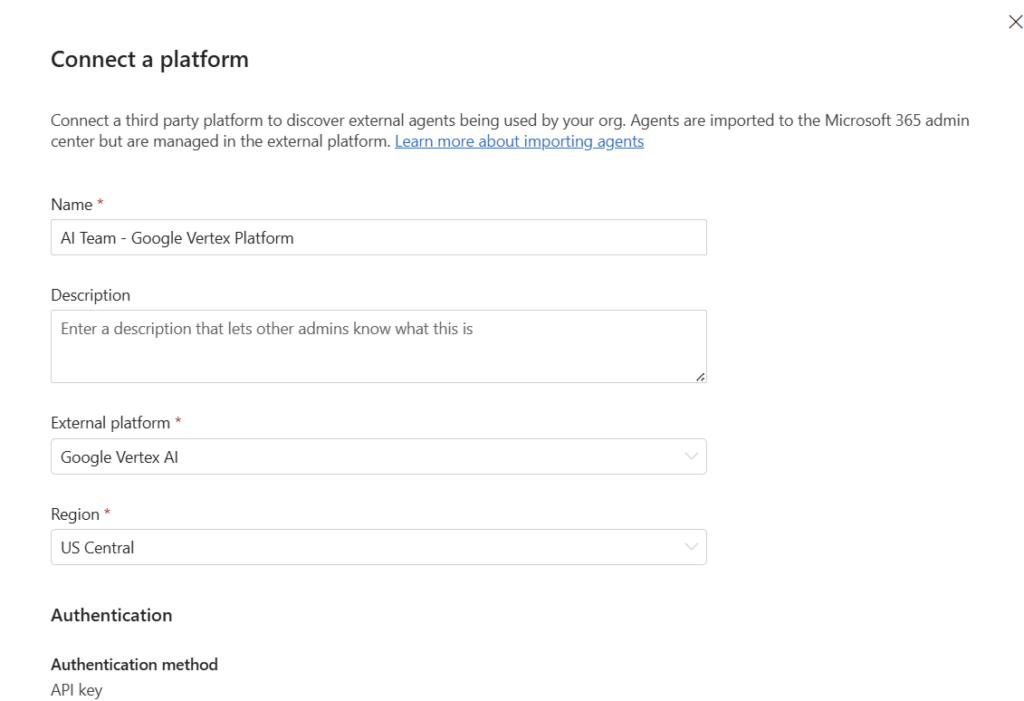
Enter a connection name for the external environment and provide a description.
- Select the external platform.
- Select the region.
- Indicate if you want to import agents automatically.
- Enter the required authentication credentials.
- Validate credentials.
- Save the connection.
After successful validation and setup:
- The Microsoft 365 admin can trigger a sync by using the Sync agents button.
- Agents from the connected environment synchronize into the agent registry.
So, now that we have agents discovered, we can move on to governance. We cannot govern or secure what we don’t have visibility into.
2. Establish Agent Governance
Many organizations jump directly into technical controls. In reality, governance starts with organizational decisions. Before we configure Agent 365, leadership should agree on who can create agents, where they can be built, and what guardrails must be followed.
When we are thinking about these policies and procedures we need to define clear policies around:
- Who can publish agents
- Approved development platforms
- Data and Compliance Requirements
- Agent Policy Templates
- Lifecycle management procedures
Let’s Build Some of These Governance Policies Technically
How to Set Who Can Publish Agents
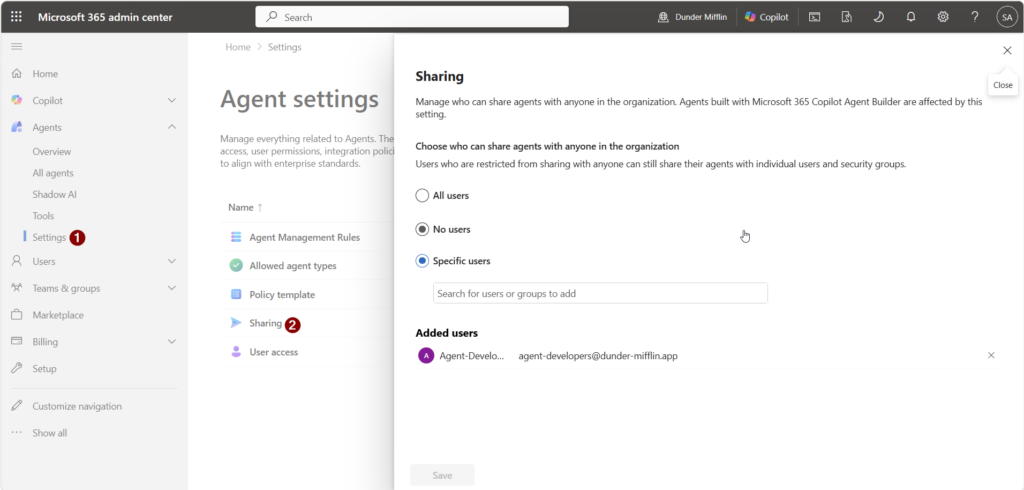
To control who can publish agents to all users, we can go to the Agents settings within Agent 365 and select Settings > Sharing. Once here, we can control the users or security groups of people who are allowed to publish agents to all users. Individual users can still develop agents and share to other users, but cannot publish to all users.
How to set approved development platforms
Our approved development platforms can be controlled technically to some extent, but mostly this will be controlled by organizational policy. We want organizations to decide on development platforms and encourage the proper use of those platforms. So if we land on using Microsoft Products, we don’t want users to be using any other shadow AI apps. To control this technically, we have some additional options.
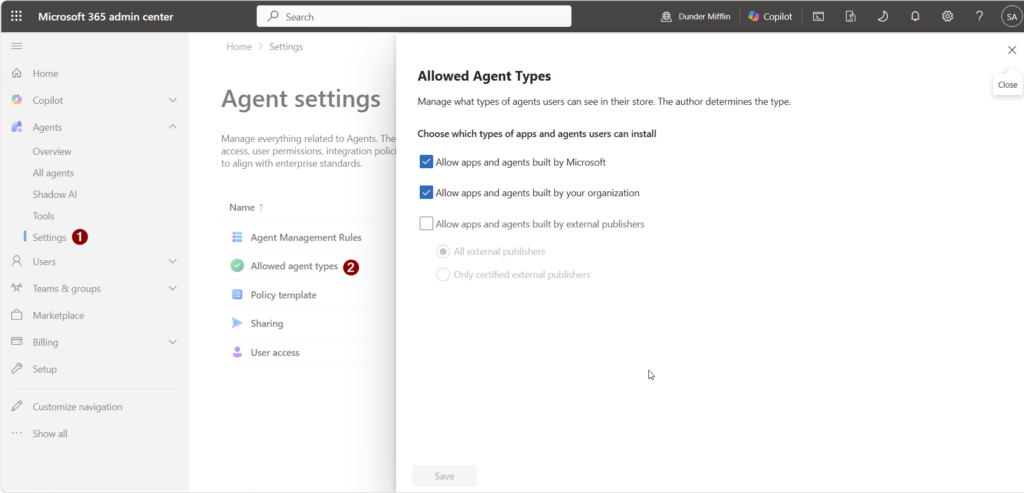
To control allowed agent types, we can go to the Agents settings within Agent 365 and select Settings > Allowed agent types. Once here, we can select the types of agents users can install. In this environment, users are only allowed to add Microsoft Agents and our own Custom Agents. External Publishers are not allowed.
How to Set Data and Compliance Requirements
I wont go too deep into this area because I have a past blog post that discusses this, but I do want to make sure we touch on it here. The nice thing with Agent 365 is that it is meant to take the protections you have in place for your users and extend those to your AI Agents. So within Purview you likely have some labeling policies for document classification, data loss prevention for automatic protection of sensitive information, and communication compliance for monitoring interactions and ensuring there is proper use.
How to Create Policy Templates
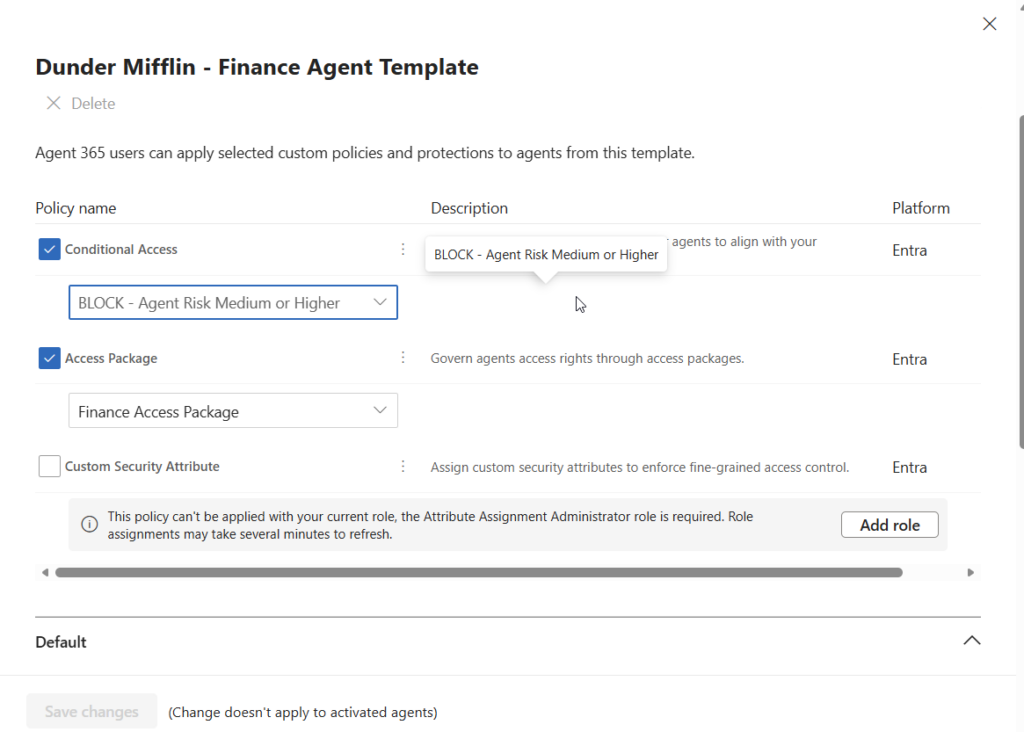
To properly onboard Agents, I highly recommend using policy templates. This ensures uniform onboarding of Agents using Access Packages and Conditional Access Policies. In my example, I have a finance agent template that I will show you. To get here, go to Agents > Settings > Policy Template
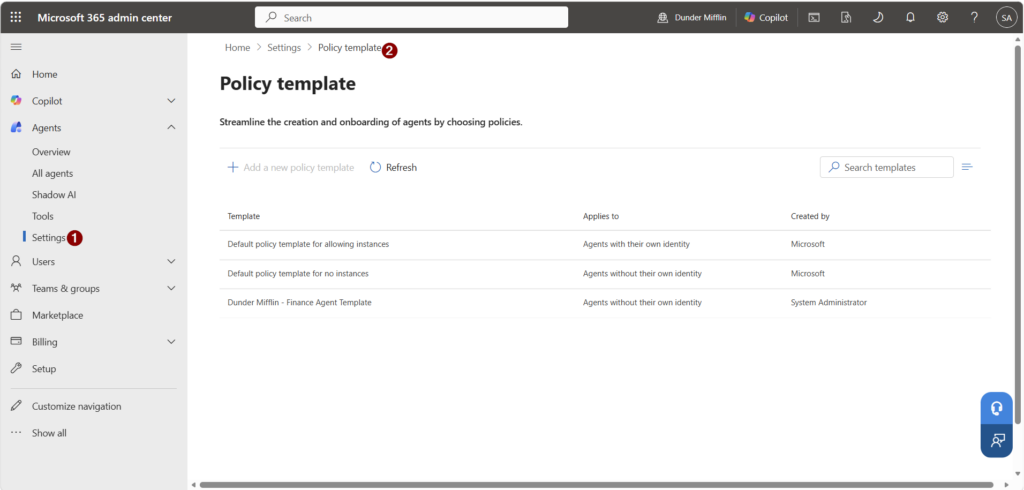
In here, we can select Add a new policy template, then fill in the information. You can fill in your Policy Template name, and Description – then we will go to the Policies Tab:
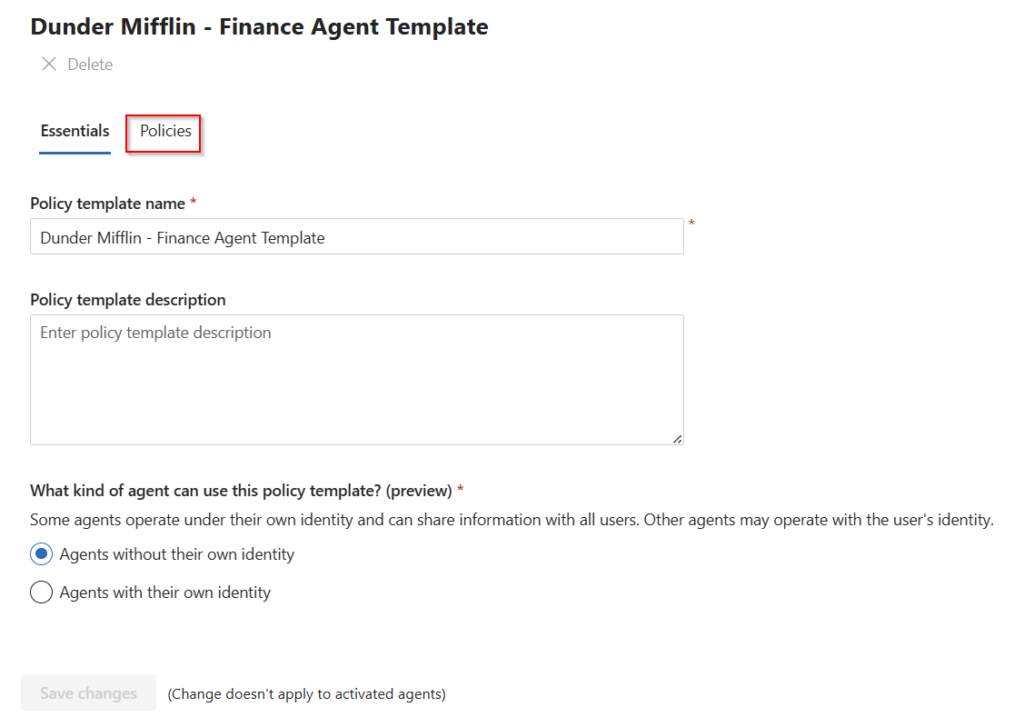
In the policies tab, we can see Conditional Access and Access Packages. The drop downs within this are referencing the access package and Conditional Access policies created prior to coming to this screen.
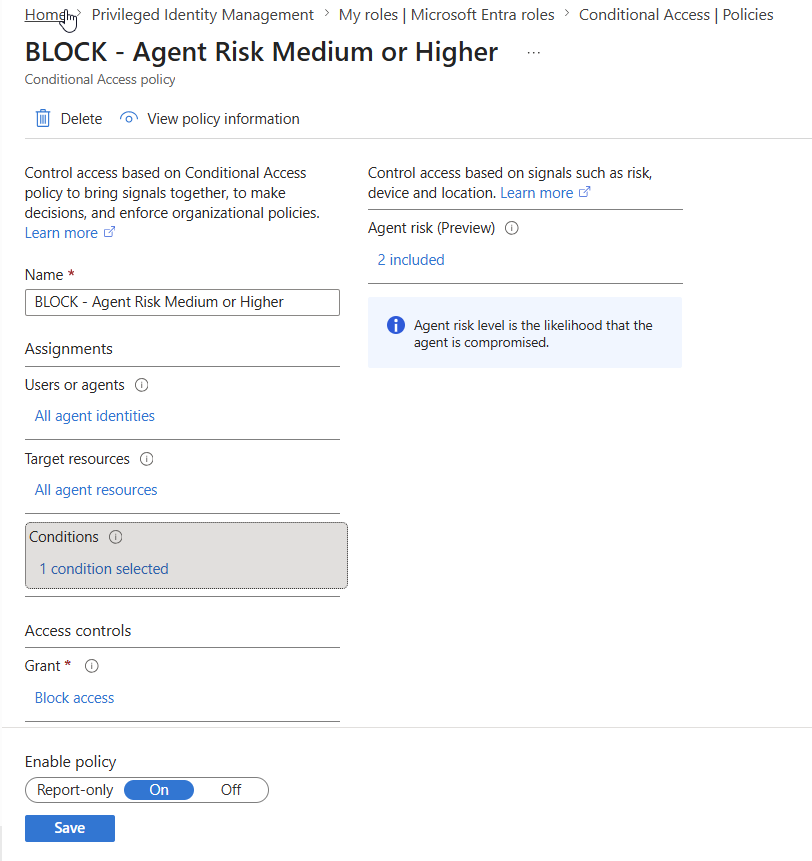
Let me show you the conditional access policy that blocks agents that are medium or higher risk.
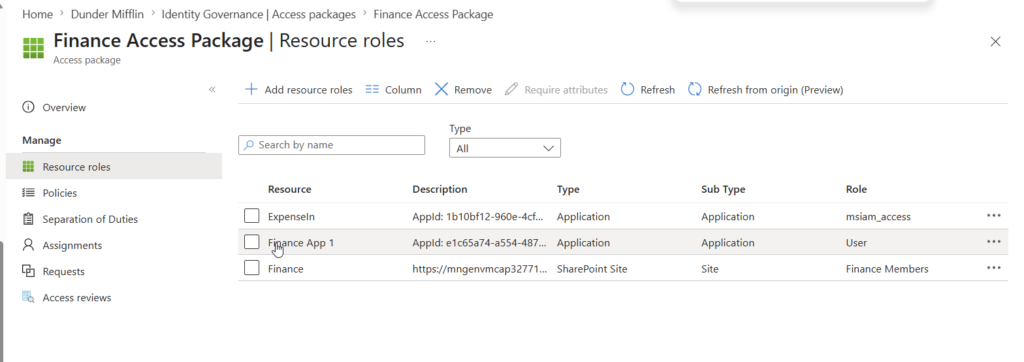
And now the access package. A lot of organizations are beginning their usage of Access Packages with Agents. To get to Access Packages, you can use this link: Identity Governance – Microsoft Entra admin center
This access package is for Finance. We have two enterprise applications and a SharePoint Site that we grant permission to with this.
And now that we have our customizations made to our policy template, we can review the default items that are enabled within the template.
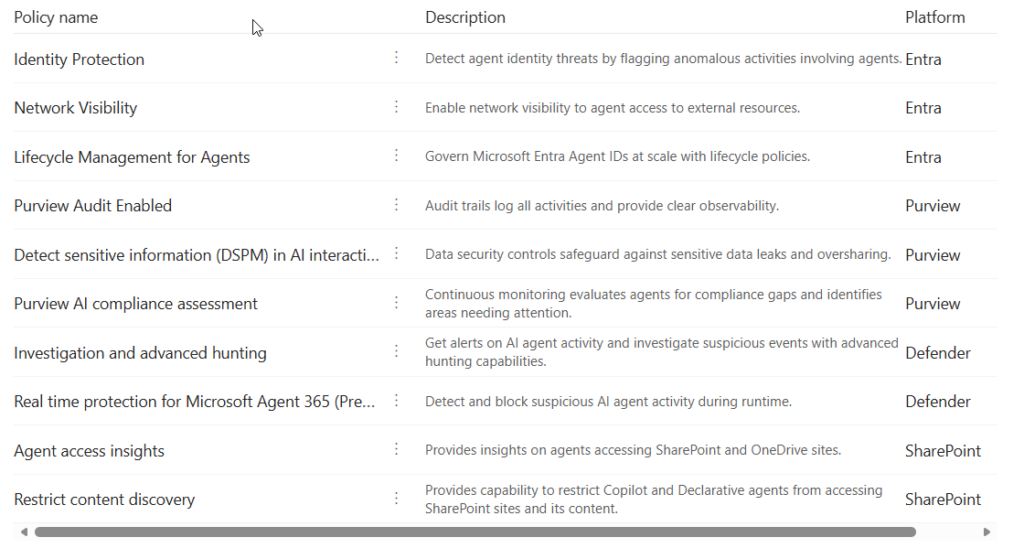
Think of Policy Templates as your AI onboarding standard. Rather than evaluating every new agent from scratch, you create pre-approved security and compliance guardrails that can be consistently applied as agents are onboarded. This helps security teams scale AI adoption without creating manual review bottlenecks.
Lifecycle Management of Agents
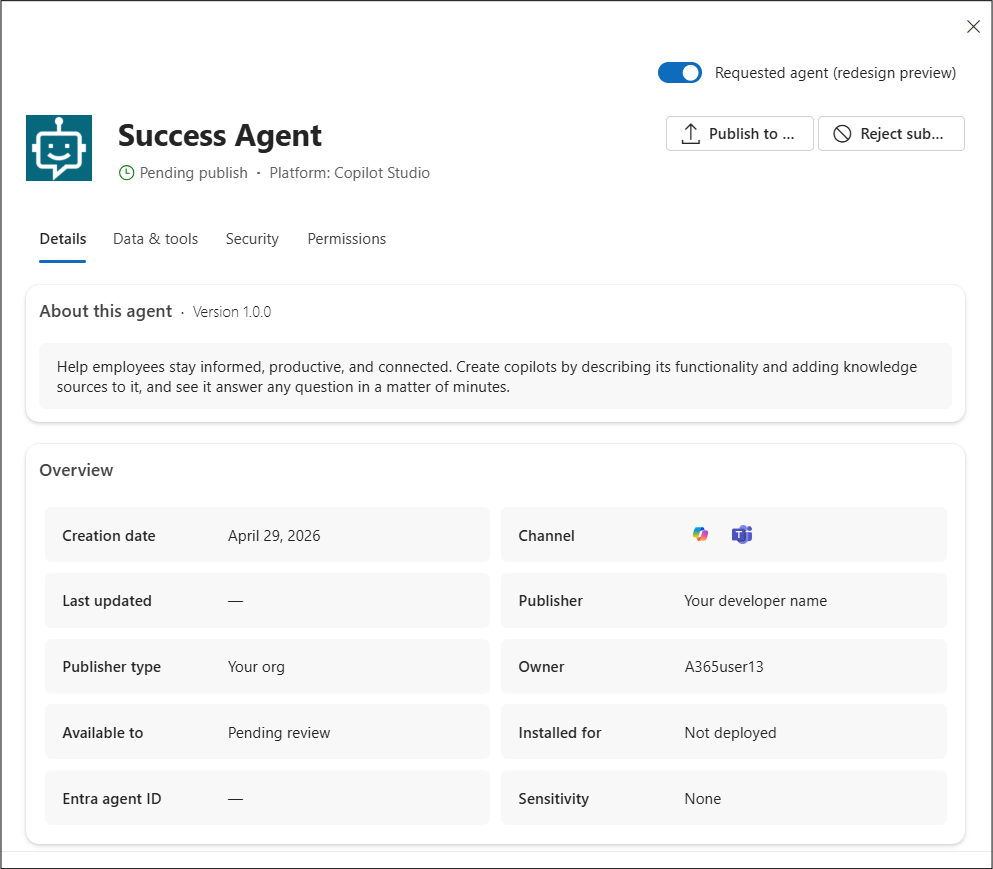
As Agents are onboarded, your teams need to respond to those requests and apply the correct templates to them. Agent 365 has a request workflow that will route your AI admins through the right guardrails ensuring your agents are provisioned securely from the start.
To view the requests, go to All Agents > Requests.
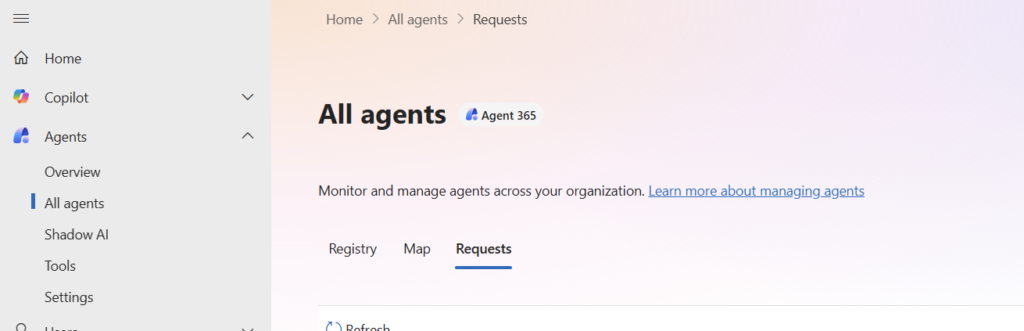
The Requests list of agents provides a view of agents that require your review and action. Members of your organization can request specific agents that need your review before an agent can be made available. For example, agents that have been created by members of your organization using Copilot Studio or Foundry or Microsoft 365 Agents Toolkit can be submitted for admin approval. When an agent is submitted for admin approval, all metadata about an agent’s definition is provided in Microsoft 365 admin center. From the Requests list, you can select the agent to see the details about the agent to better understand the agent’s capabilities, data sources, and custom actions before allowing the agent to be published to your organization.
3. Monitor Agent Activity
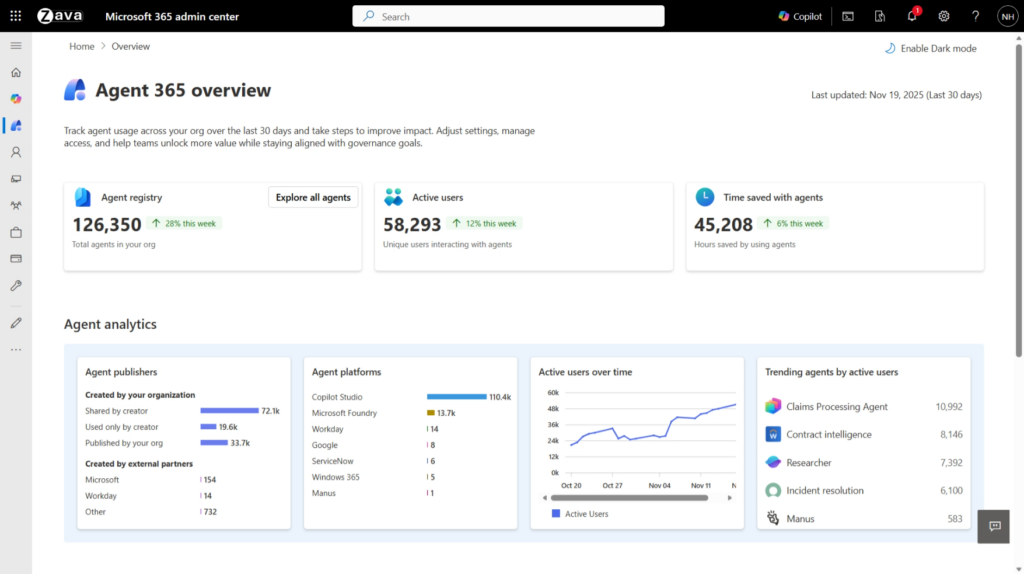
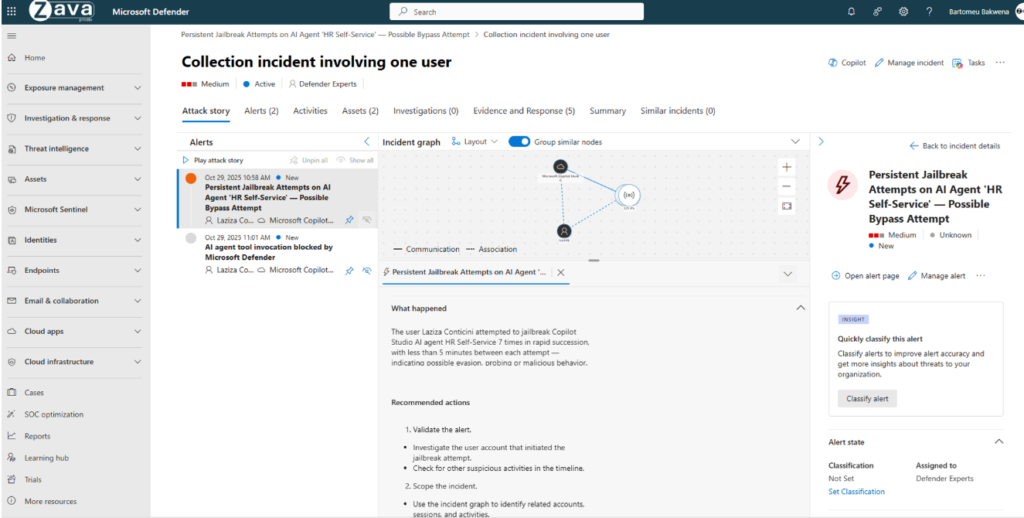
Visibility is critical. Now that we have the governance and rules in place, organizations should establish monitoring for:
- Agent creation and modification
- Prompt activity
- Data access patterns
- External connections
- High-risk actions
Monitoring AI agents should become part of your existing security operations process. Security teams should regularly review newly created agents, changes to agent permissions, high-risk prompts, and unusual data access patterns. The goal is not only to detect malicious activity but also to identify accidental misconfigurations before they become security incidents.
Final Thoughts
The question is no longer whether employees will build AI agents. The question is whether your organization will have the visibility and controls necessary to govern them effectively.
Agent 365 provides the foundation for discovering, securing, and managing AI agents wherever they are developed. By focusing on governance, identity, data protection, monitoring, and compliance from the beginning, organizations can accelerate AI adoption without introducing unnecessary risk.
As AI continues to transform the workplace, the organizations that succeed will be the ones that build security into their AI strategy from day one.
Additionally
If your organization is beginning its AI journey, now is the time to establish governance before AI agents become widespread across the environment. Agent 365 provides the visibility and control needed to secure AI innovation without slowing it down.
Need help implementing Agent 365, Microsoft Purview, Conditional Access, or Identity Governance? Contact Securing 365 to learn how we help organizations securely adopt Microsoft AI technologies.